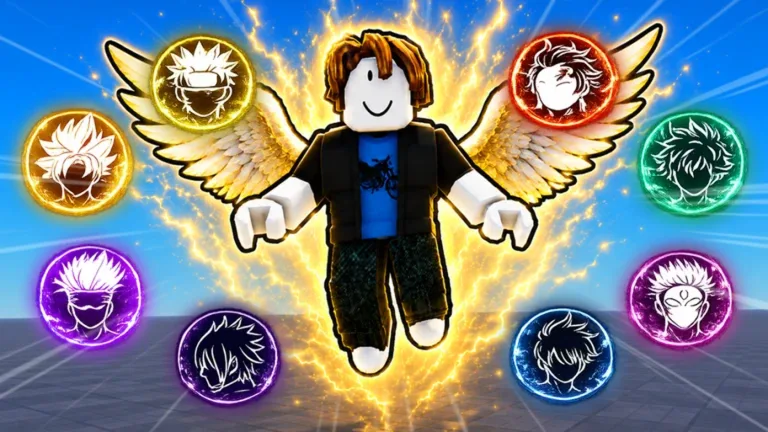
How to Unlock and Equip Ultra Instinct in Anime Ability Arena
Learn how to unlock the Ultra Instinct moveset in Anime Ability Arena. Discover the costs, how to equip this Goko-inspired power, and master its unique combat abilities.
Published: Anime Ability Arena Wiki Editorial Team
Video Guide
I Tried The NEW Ultra Instinct in Anime Ability Arena Roblox!Table of Contents
Unlocking the Ultra Instinct Moveset
In Anime Ability Arena on Roblox, the Ultra Instinct moveset is one of the most sought-after powers. Unlike standard abilities that unlock automatically as you accumulate Yen, Ultra Instinct is a premium-tier option. It transforms your avatar into "Goko," complete with a distinctive glowing white aura and a specialized combat style.
Because this moveset is not tied to a simple Yen milestone, many players struggle to find where to purchase it. It is located directly within the character panel in the lobby. Before diving into a match, you should ensure you have the necessary currency to make the purchase, as this is a separate transaction from the standard power progression system.
How to Unlock Ultra Instinct
Launch the Game: Load into the Anime Ability Arena experience.
Access the Lobby: Stay in the lobby area rather than rushing into a fight.
Open Character Panel: Locate the character selection menu.
Locate Ultra Instinct: Scroll through the list of powers. You will see Ultra Instinct listed alongside other premium options like Sorcerer.
Purchase: Confirm the price (typically 519 Robux or 1,040 Yen) and complete the transaction.
Equip: After purchase, you must respawn to apply the changes to your avatar.
Equipping and Activating Your Power
A common point of confusion for new players is the final step: equipping the power. Simply paying for the moveset in the character panel does not automatically apply it to your current session. The game requires a respawn to register the change in your character's data.
If you have purchased the moveset but your character still looks the same or uses default attacks, check your status. The game should display a confirmation alert on the screen reading, “Successfully Equipped the Ultra Instinct Moveset!” Once you see this message, respawn your character. You will know the process was successful when your avatar spawns with the signature white aura.
Tip
Don't Forget to Respawn
If you have already spent your Robux or Yen but do not see the aura, do not panic. This is rarely a bug. It is almost always because the player failed to respawn after the purchase. Always check your HUD for the confirmation message before entering the arena.
Combat Mechanics and Strategy
Once you have successfully equipped Ultra Instinct, you will notice a shift in your combat performance. The moveset replaces your standard attacks with two primary abilities: Divine Punch and Divine Beam. These are designed to be more aggressive, favoring players who enjoy high-mobility combat.
Understanding the Controls
The game uses a universal input scheme, but the output changes based on your chosen moveset.
Dash (Q): This is your most critical tool. Ultra Instinct provides two dash charges within a five-second window. This allows for aggressive closing of distances or quick escapes.
Divine Punch (RT on Controller / R on Keyboard): A high-damage strike that can launch opponents into the air.
Divine Beam (LT on Controller / E on Keyboard): Your primary ranged or finishing tool.
Tip
Mastering the Dash
Ultra Instinct is highly mobile, which is a double-edged sword. Because the arena is mountainous with open water at the edges, it is easy to overcommit with your dashes and accidentally launch yourself into the ocean. Practice your dash timing in a less crowded area of the map before engaging in high-stakes fights.
Troubleshooting Common Issues
If you find that Ultra Instinct isn't working as expected, review the following checklist. Most issues are related to the state of your character in the lobby rather than a failure of the purchase.
Did you respawn? New powers only apply upon respawning in the lobby.
Did you select the power? Simply buying it isn't enough; ensure it is selected in the character panel after the purchase.
Check your HUD: If your ability names haven't changed to "Divine Punch" and "Divine Beam," the moveset is not active.
Currency balance: Ensure your transaction went through. If you are short on Yen, you may need to farm more in matches or use the Store’s Currency tab to convert Robux.
Frequently Asked Questions
Is Ultra Instinct worth the cost?
Yes, if you enjoy an aggressive playstyle. The increased mobility from the dual-dash mechanic allows for better positioning and combo potential compared to some of the base-tier movesets.
Can I get Ultra Instinct for free?
Based on current game mechanics, Ultra Instinct is a premium-tier power. While you can purchase it with Yen earned in-game, it does not unlock automatically through milestones like other characters.
Why can't I see the moveset in the character panel?
Ensure you are looking at the character panel while in the lobby. If you are already in a match, you may need to wait until the round ends or leave to the lobby to change your character's moveset.
Does the moveset change my stats?
The moveset changes your visual appearance ("Goko"), aura, and ability inputs. It is balanced to fit into the game's existing combat meta, focusing on speed and unique attack animations rather than raw stat inflation.